Countly Flex

Analytics infrastructure that's yours

Countly Flex gives you a dedicated analytics environment - built for your product, with full control from day one.
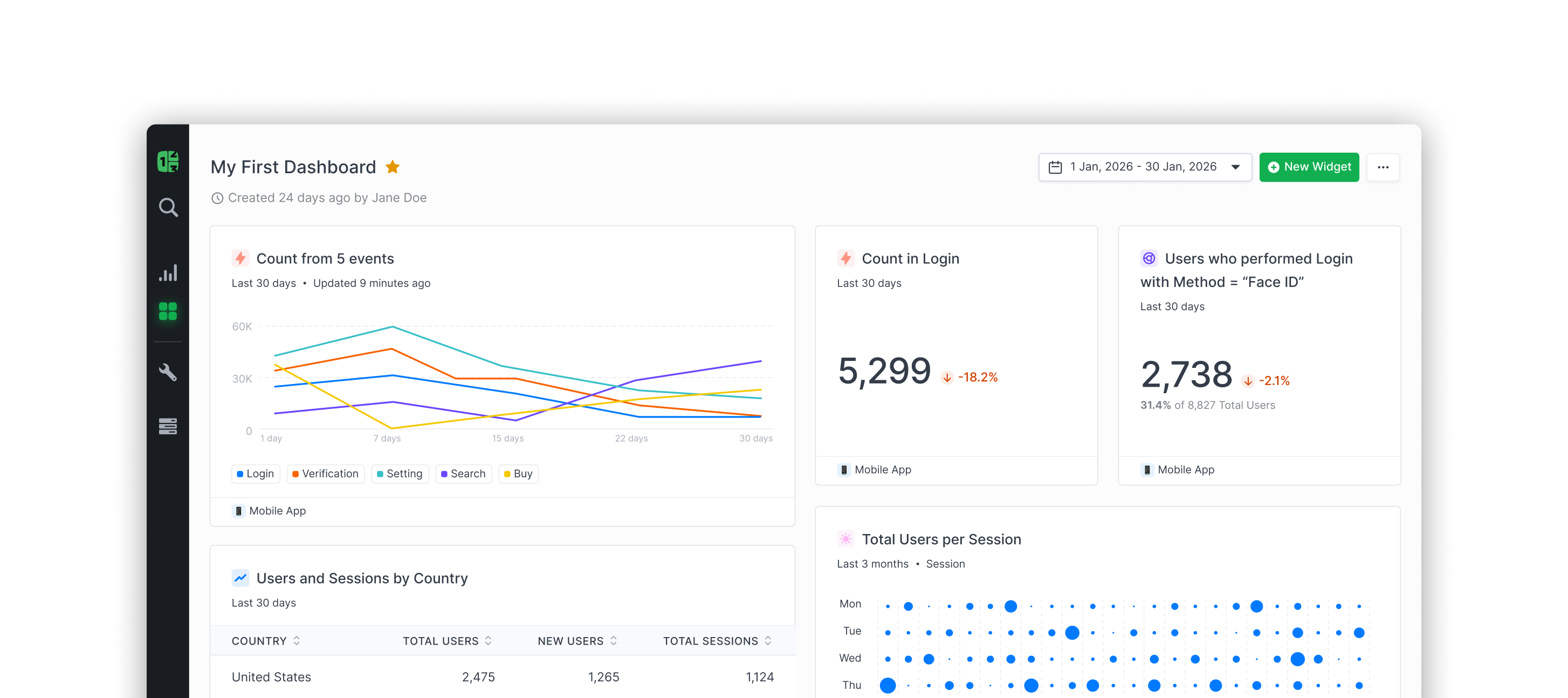
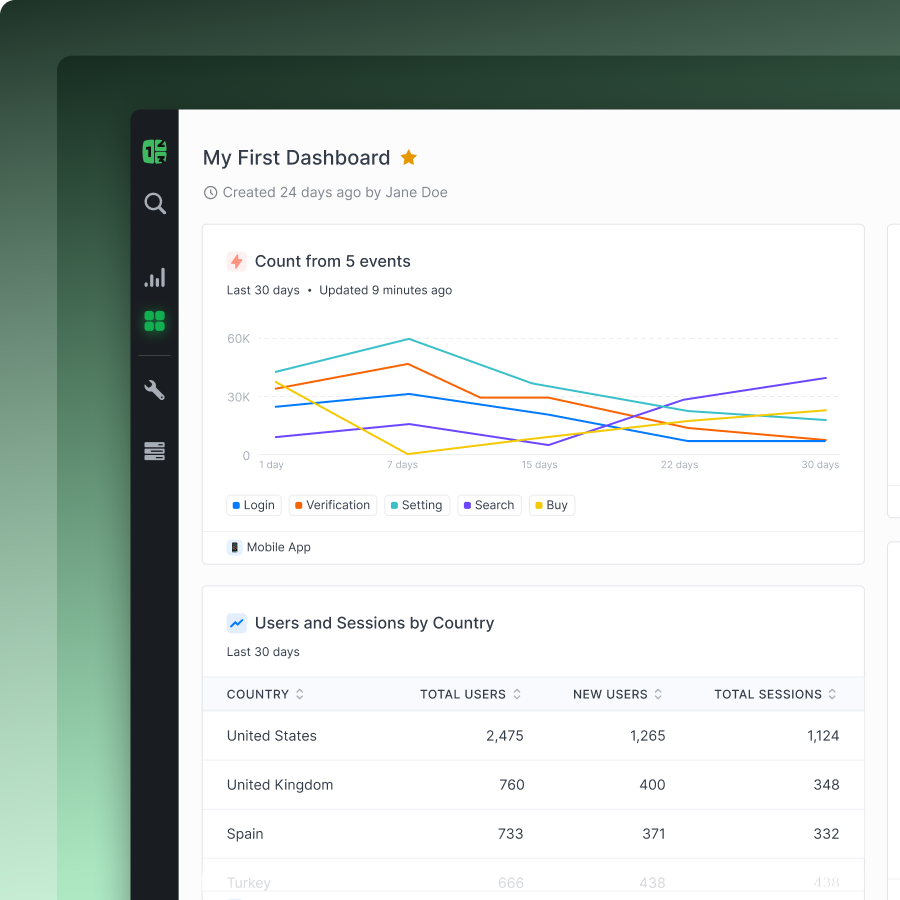
Countly dashboard showing event counts, login stats, Face ID users, user sessions by country, and total users per session dot chart.Countly dashboard showing event counts over 30 days with line graph and user sessions by country table.
Whether you’re starting out or scaling up, grow faster with Countly
SAP logoCoca-Cola logoAWS logoBMW Group LogoVerizon logoSchneider Electric LogoStandard Chartered LogoElsevier LogoAllianz LogoRaiffeisen BankTelekom Logo
Cube icon
Dedicated infrastructure

Unlike traditional analytics tools, Countly Flex runs on infrastructure provisioned for you

No shared environments. No performance trade-offs.

Scales with you

Grow without replatforming. Scale as your data and usage increase.

Dedicated by default

Your own isolated analytics instance - always. No shared compute. No noisy neighbors.

Predictable performance

Dashboards and queries run on infrastructure designed for your usage - not competing demand.
Green three-dimensional hexagonal grid with a central icon of Countly, and several circular plus symbols connected within the grid.

Built for teams of any size. Dedicated infrastructure isn’t an enterprise upgrade. It’s how Flex works - from the start.

Cube icon
The Flex model

Included by default

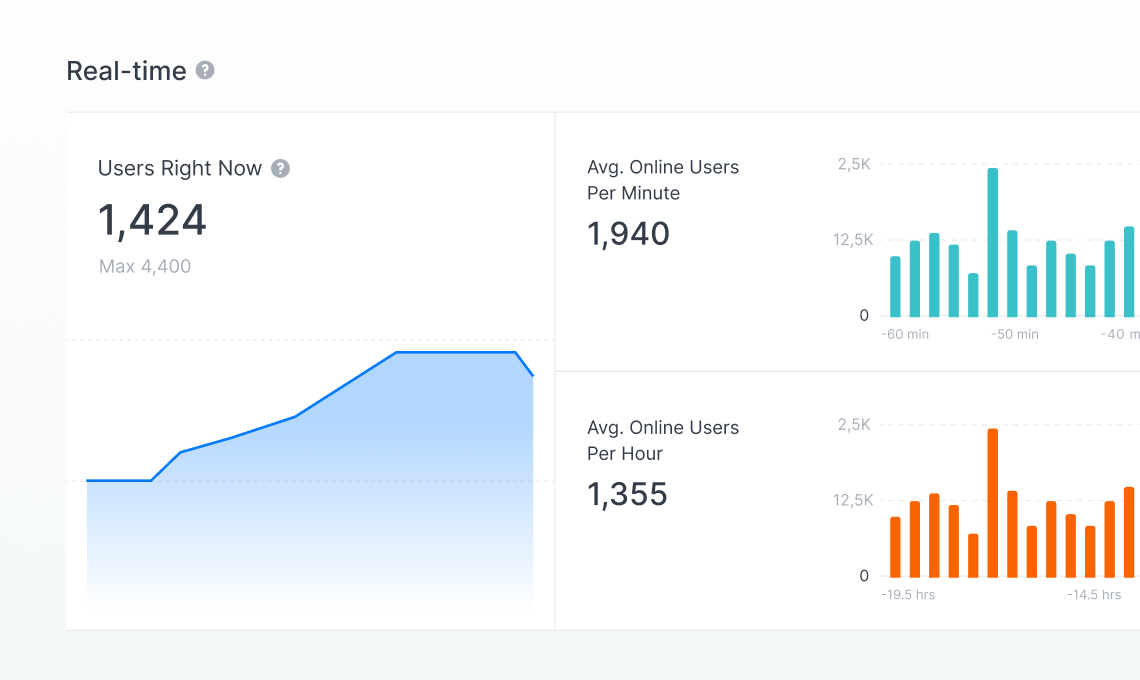
Track activity, monitor engagement, and explore trends through real-time dashboards and core analytics tools - giving every team fast, reliable visibility into product performance.
Real-time analytics dashboard showing 1,424 users right now with a max of 4,400, average 1,940 online users per minute, and 1,355 average online users per hour, with corresponding line and bar charts.

Real-time analytics

Monitor product activity as it happens
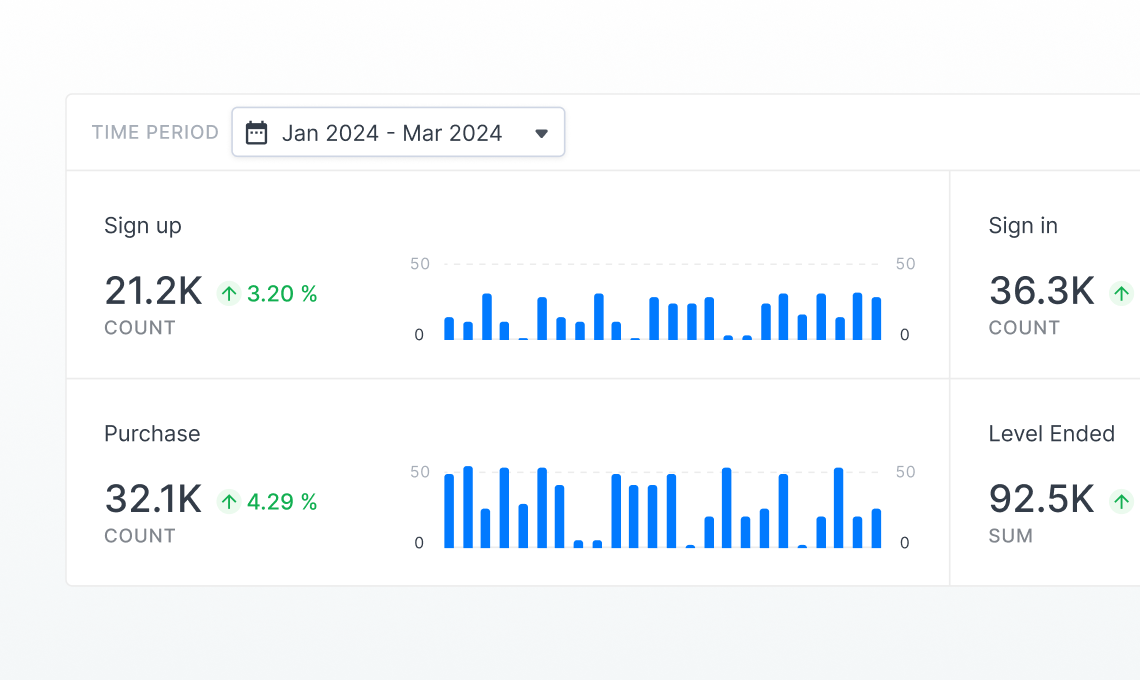
Dashboard showing event tracking data for Jan 2024 to Mar 2024, with sign up count at 21.2K (+3.20%), purchase count at 32.1K (+4.29%), sign in count at 36.3K, and level ended sum at 92.5K.

Event tracking

Capture and analyze user interactions across your product
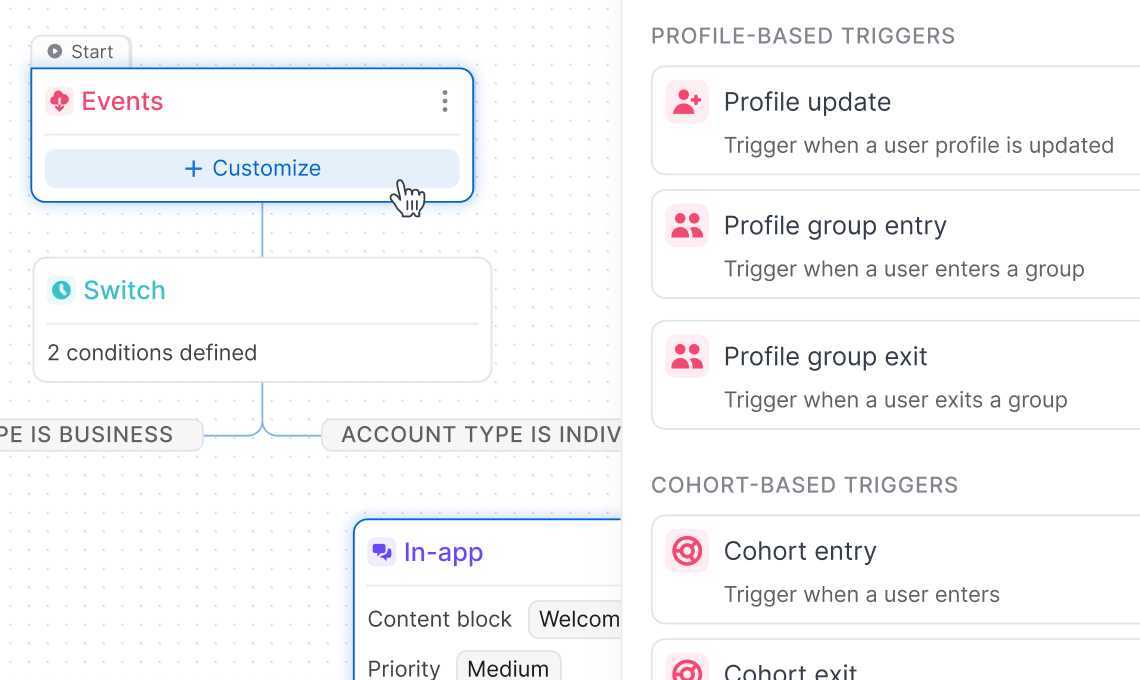
Screenshot of a user interface displaying a workflow starting with an Events trigger, a Switch node with two conditions, and a sidebar showing profile-based and cohort-based trigger options.

Session analysis

Understand user journeys and behavior patterns
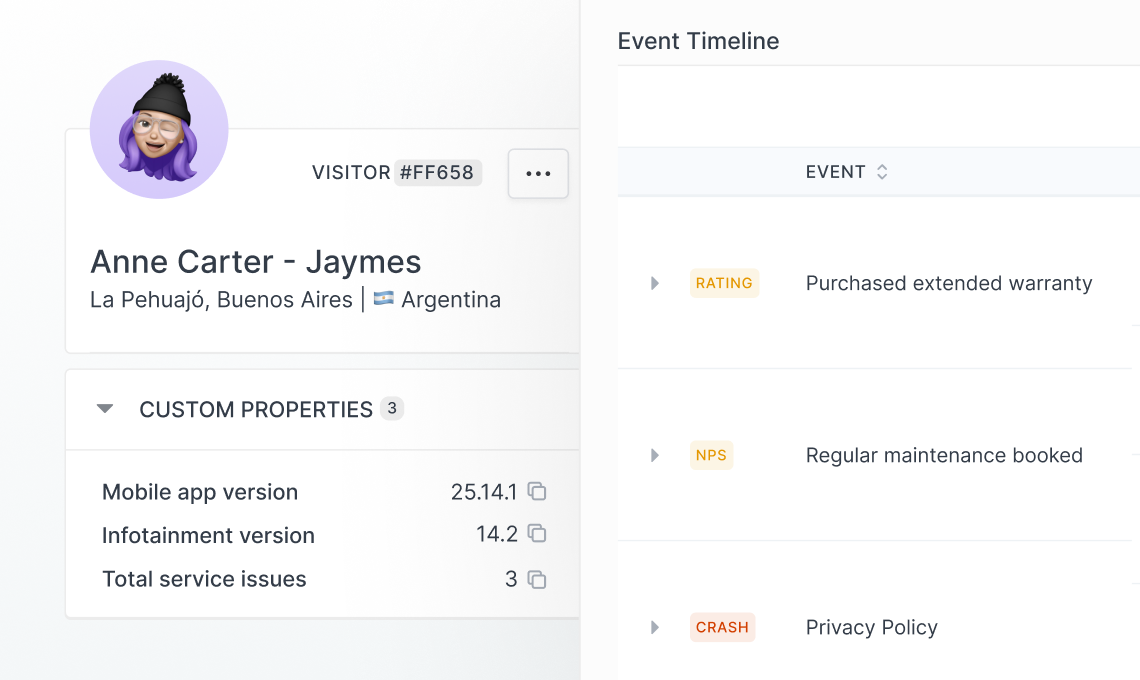
User profile of Anne Carter - Jaymes from La Pehuajó, Buenos Aires, Argentina, showing visitor ID #FF658, custom properties including mobile app version 25.14.1, infotainment version 14.2, and total service issues 3, alongside an event timeline with purchased extended warranty, regular maintenance booked, and privacy policy events.

User profiles

Build a complete view of each user and their activityt.
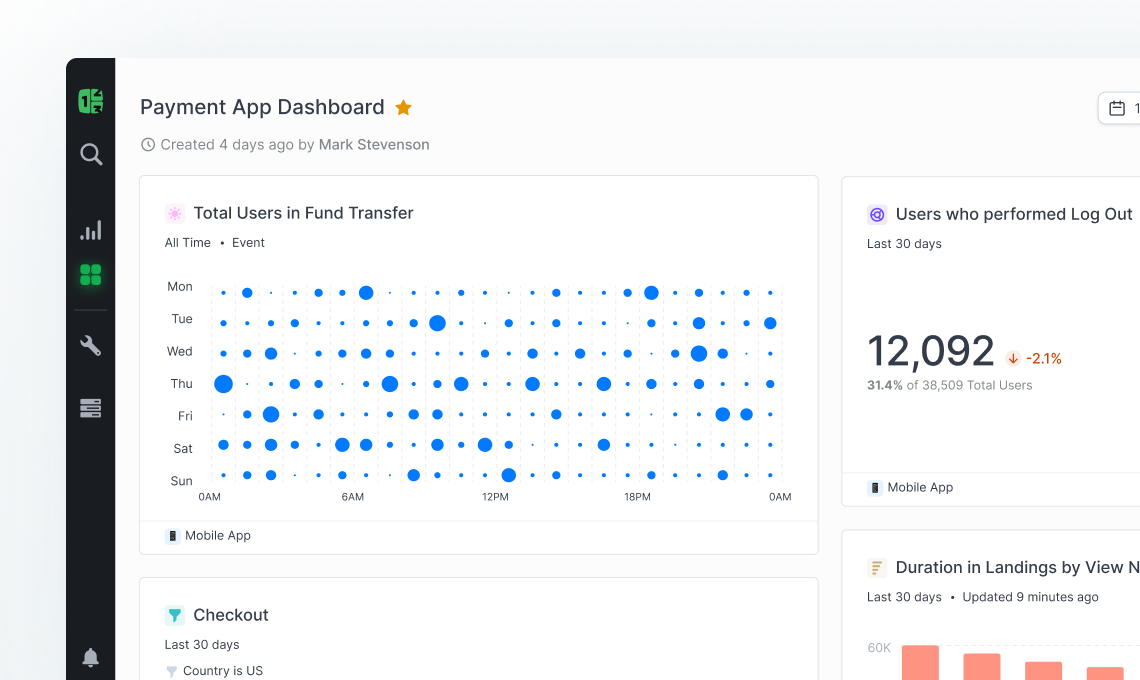
Payment App Dashboard showing total users in fund transfer by day and time in a bubble chart, users who logged out with total count 12,092 and 2.1% decrease, and checkout and duration in landings metrics.

Dashboards & reporting

Visualize key metrics and share insights across teams
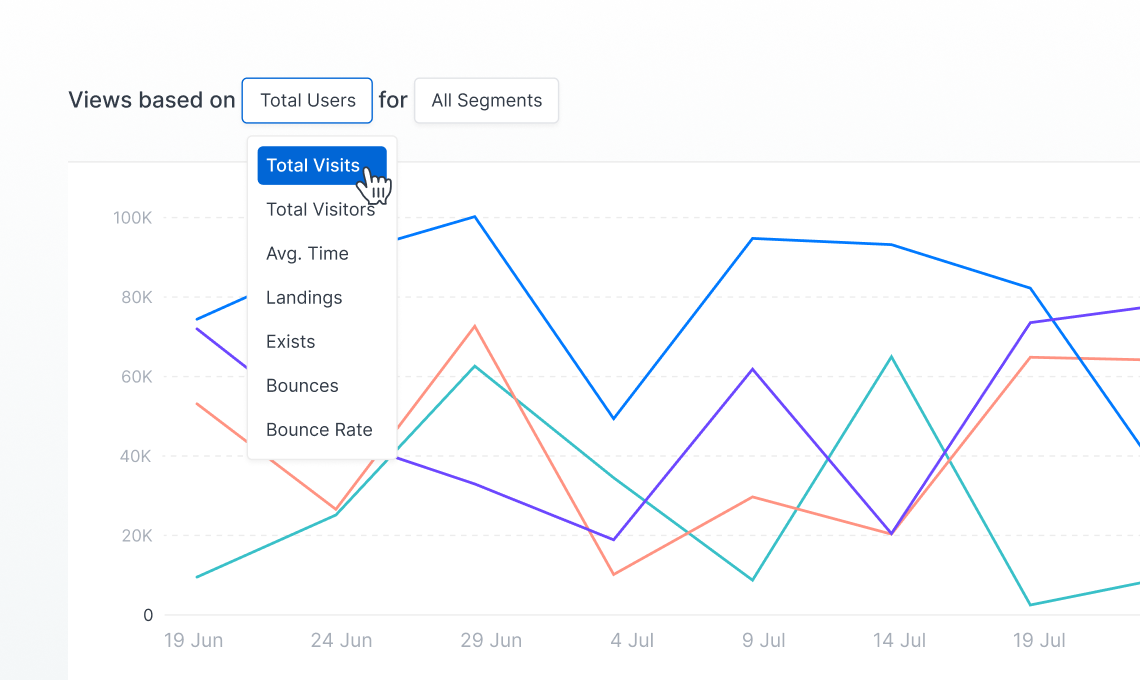
Line graph showing user activity from June 19 to July 19 with a dropdown menu highlighting 'Total Visits' among options like Total Visitors, Avg. Time, Landings, Exists, Bounces, and Bounce Rate.

Views

Customize how data is organized and explored
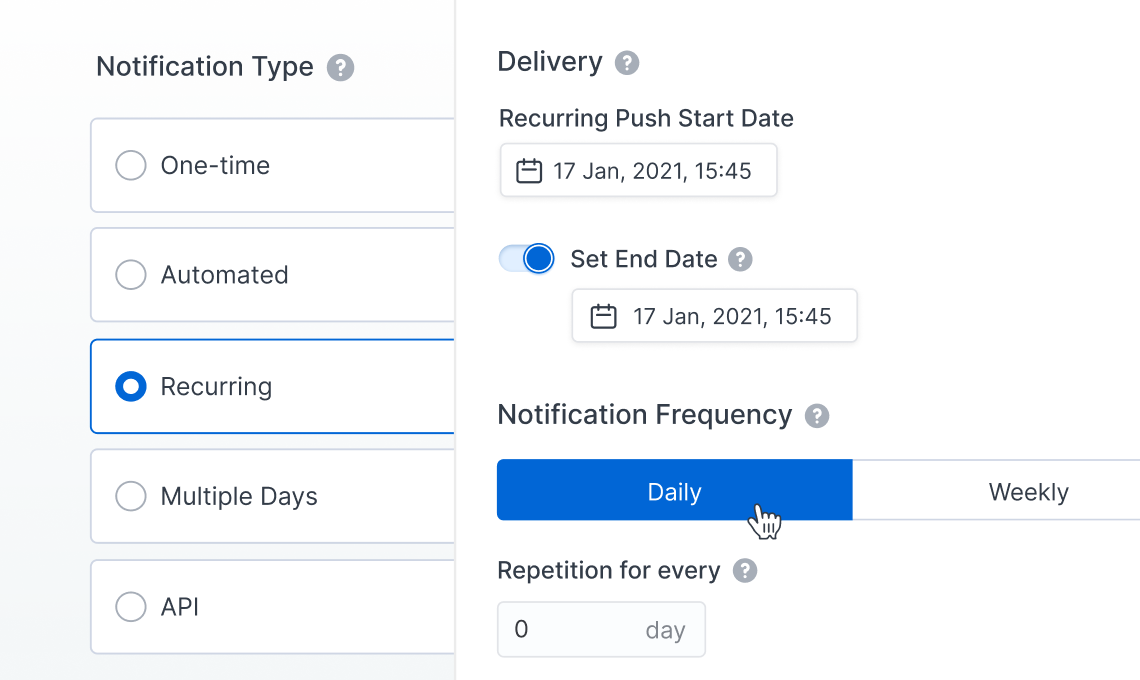
Notification settings interface showing options for notification type with recurring selected, delivery dates with start and end on January 17, 2021, 15:45, and notification frequency set to daily.

Alerts & notifications

Stay informed about important changes and trends

Expand with advanced capabilities

When your needs grow, Flex expands with you - through focused capability sets, not fragmented add-ons.
Adaptivity capability

Build adaptive, hyper-personalized product experiences

Check mark icon
Run A/B and multivariate experiments
Check mark icon
Trigger personalized experiences based on user behavior
Check mark icon
Collect and act on user feedback
Check mark icon
Continuously optimize engagement and retention
Intelligence capability

Go deeper with data, analysis, and AI-powered insights

Check mark icon
Advanced segmentation and cohort analysis
Check mark icon
Funnel tracking and behavioral insights
Check mark icon
Explore and query raw data directly
Check mark icon
Leverage AI to uncover patterns and opportunities
Optional enhancements

Tailor your setup further

Plus icon
Support packages
Plus icon
Infrastructure upgrades
Plus icon
Custom deployment configurations
Cloud icon
Why Flex

Not just another analytics tool

Built with isolation at its core - not added later. Flex gives you a stronger foundation for privacy, security, and compliance from day one.
Infrastructure
Data ownership
Compliance readiness
Performance isolation
Scalability
Enterprise capabilities
Environment control
Other analytics tools
Infrastructure
Shared
Data ownership
Shared environments
Compliance readiness
Add-ons or enterprise tiers
Performance isolation
Shared resources
Scalability
Plan upgrades or migration
Enterprise capabilities
Higher-tier plans only
Environment control
Limited control
Countly Flex
Infrastructure

Dedicated
Data ownership

Isolated environment
Compliance readiness

Included foundation
Performance isolation

No noisy neighbors
Scalability

Seamless scaling
Enterprise capabilities

Available to all
Environment control

Full control

Frequently asked questions

How does Countly Flex pricing work?
Countly Flex uses a monthly active users (MAUs)-based pricing model that scales with your growth. You can start for free with up to 500 MAUs and access core analytics features - no credit card required.
As your needs expand, pricing adjusts based on your MAU count and the additional features (add-ons) you select. This modular approach ensures you only pay for what you use, making it easy to tailor the platform to your specific requirements.
Countly Flex is always deployed in a private cloud region of your choice, supporting your data residency and compliance needs. Hosting costs vary depending on the region you select.
Do I get upgraded to paid tiers automatically?
We do not automatically upgrade your tier. You choose the best tier for your needs and budget. If you exceed your tier’s monthly usage limit, your server access will be temporarily locked until the next cycle. We highly recommend always upgrading to a tier that ensures uninterrupted access to your server for the full Flex experience.
How do I get support from you with my Flex account?
Discord is the place to be for all our Flex users. Meet us there to discuss your technical questions, learn from other Countly users and stay updated with product news.
I need to self-host, do you offer a solution?
Yes, we got you! If you are an enterprise organization, self-hosted version of Countly Enterprise is right for you. If you are looking for an open-source, light version of Countly for individual contributors, go with Countly Lite.
Does Countly have any security certifications?
Yes! We are ISO 27001 and SOC2 certified, Countly takes privacy seriously and helps you do the same within your organization and with your customers.
Countly Flex

Stop sharing your analytics infrastructure

Get predictable performance, full control, and a platform that scales with you,  not against you.re.
No migration headaches
No hidden add-ons
No shared infrastructure